

Can I take a break (deactivate) my account?
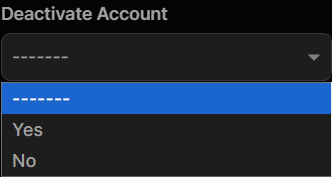
Yes, if you would like to take a break from the site, but not delete your account, simply edit your profile, choose the “Yes” drop down under the option of Deactivate and click the update button at the bottom.
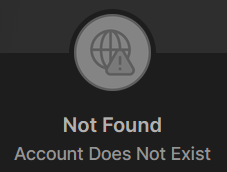
If another user tries to view your profile, while it is deactivated, your profile will show:
To reactivate your account, simply login again. You will be greeted with a message of:
“Account Reactivated. Welcome Back”