

Delete my account
We're sorry to hear you wish to close your account. If you would like assistance, please use our chat help on the bottom right.
To delete your account, please follow these instructions:
1. Login
2. Open Left Menu
3. At the very bottom, you’ll see your name, just to the right of your name, select the ">" right pointing arrow.
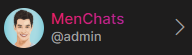
Select Edit Profile
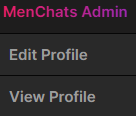
4. Scroll down the Edit Profile tab to “Delete Account”
Set this to “YES” and click the “Update” button.
Please note that once your account is deleted, all your account details will be permanently removed from our systems. This can not be reverted.