How can I see the user listings?
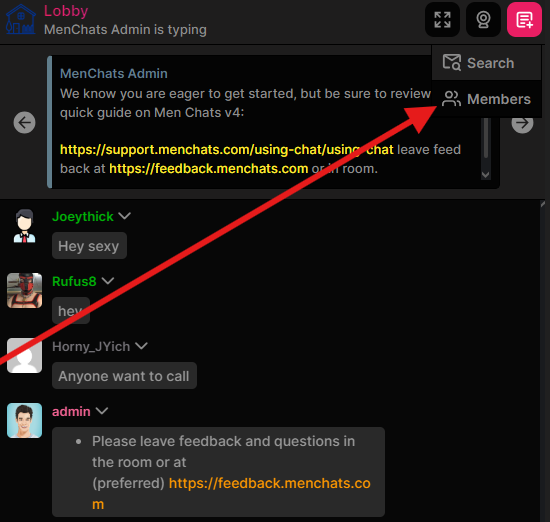
Mobile:
Press the very top right icon that looks like a document, then Members.
Desktop:
On the left of your screen, you should see all online users in your room/group.
You may also look at the Site Users tab to see users who are offline.